Displays
Manage display resolutions, refresh rates, and wallpapers
One-time purchase. No subscription.
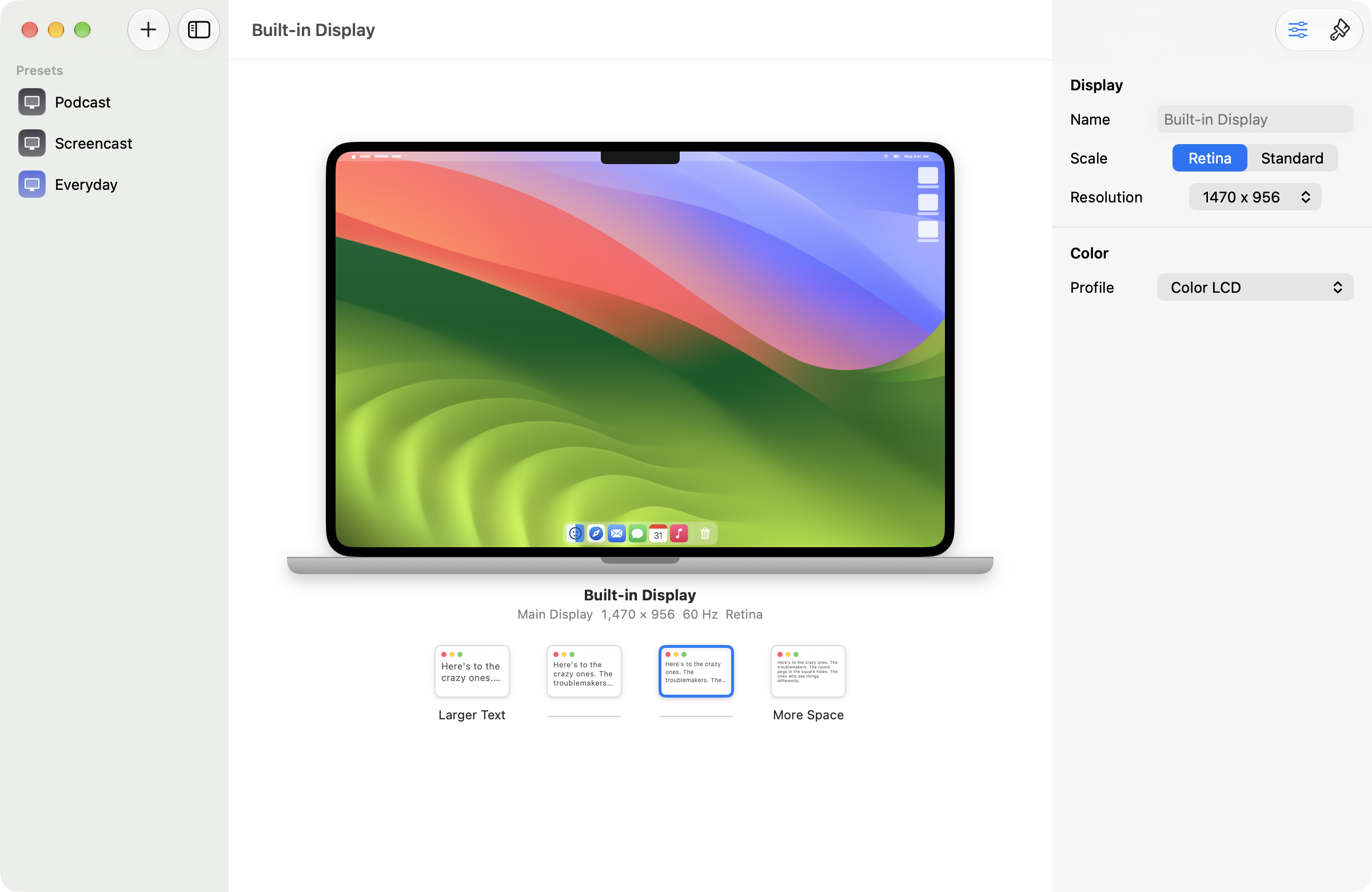

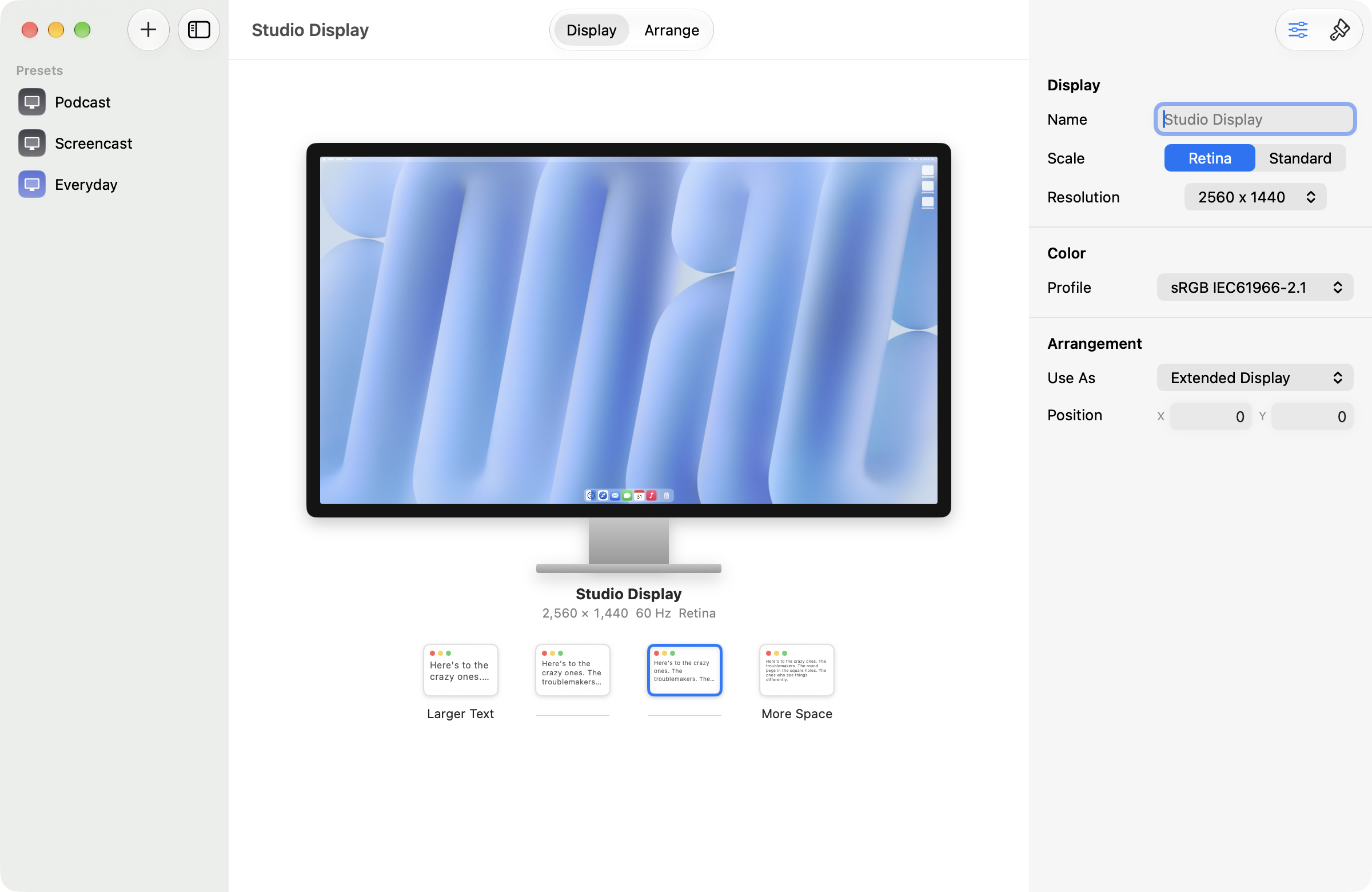
Displays shows every monitor as itself: your MacBook looks like a MacBook, your Studio Display looks like a Studio Display, with a live preview of exactly what your desktop will look like before you commit. It's built for podcasters and screencasters who set the stage, hit record, and put everything back the way it was.
Every monitor, as itself
Your MacBook looks like a MacBook, your Studio Display like a Studio Display, with a live preview before you commit.
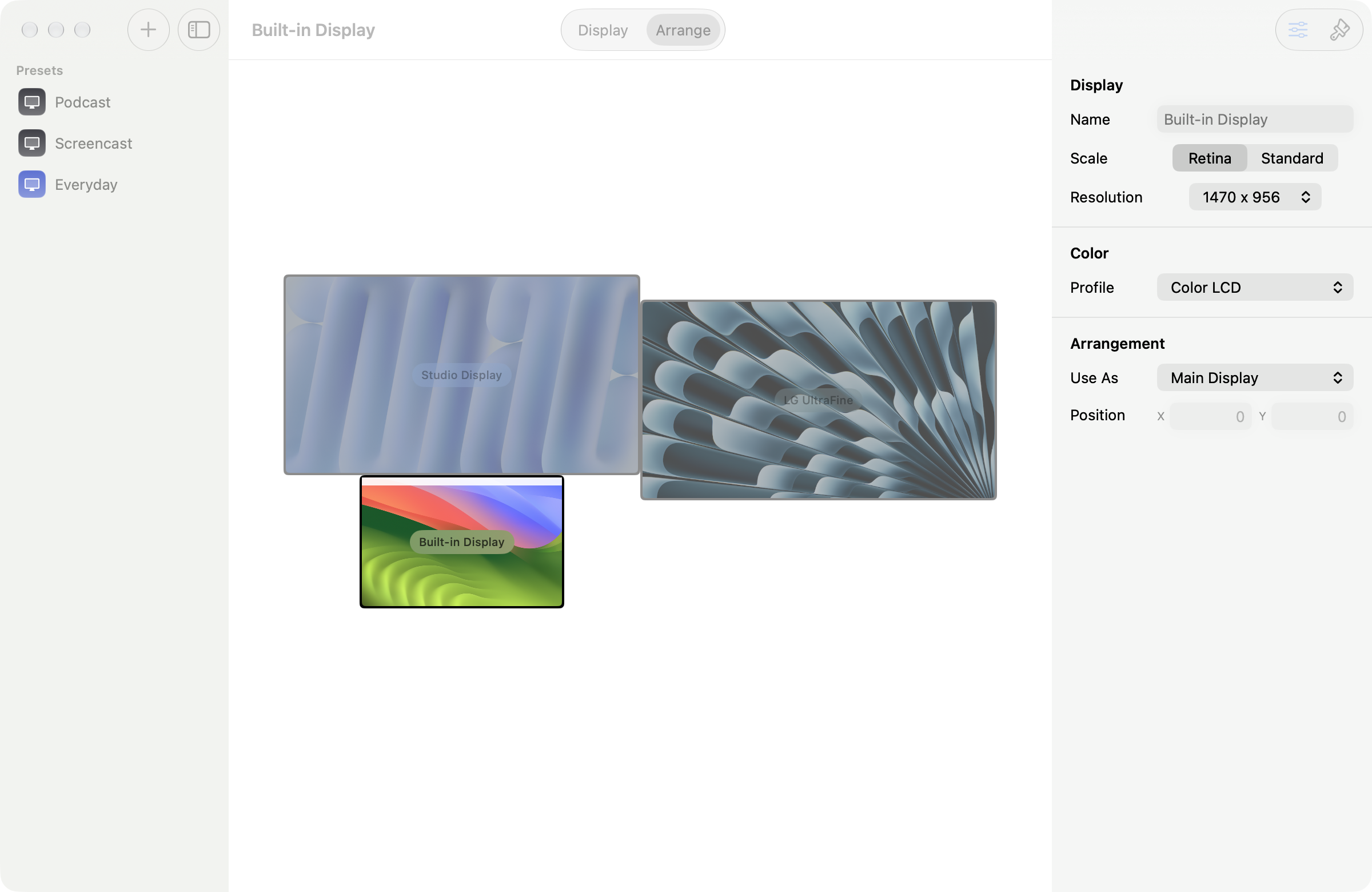
Arrange like it's Keynote
Drag a display and it snaps into place with alignment guides. Drop it on another to swap. Name each one so you know which is which.
Set the stage, then reset it
Studio wallpapers and a one-click tidy-up that hides your icons and Dock, then puts it all back when you're done.

Why Displays?
macOS makes you dig through System Settings every time you set up for a recording. Displays gives every monitor its own window, right on that monitor, with Apple's familiar Larger Text ⟷ More Space picker, one-click presets, and a desktop tidy-up that hides your icons and Dock and turns on Do Not Disturb, then reverts it all when you're done.
Details
- Native macOS app, one window per display
- Live WYSIWYG preview of every change
- Keynote-style arrangement: snapping, guides, swap, nudge
- Display names that survive reboots and replugs
- Color profile, main display, and mirroring per display
- Chroma green & blue wallpapers for keying
- Presets in the Dock menu, not the menu bar
- Keyboard shortcuts: ⌘↩ apply, ⌘Z revert
Requirements
- macOS 14.0 or later
Buy it once. It's yours.
No subscription, no account, and we don't collect anything about you. Runs on your Mac. Updates are included.