Playbill
Your app auditions for its App Store debut
Coming Soon on the Mac App Store
Leave your email and we'll tell you when it's ready. One note, nothing else.
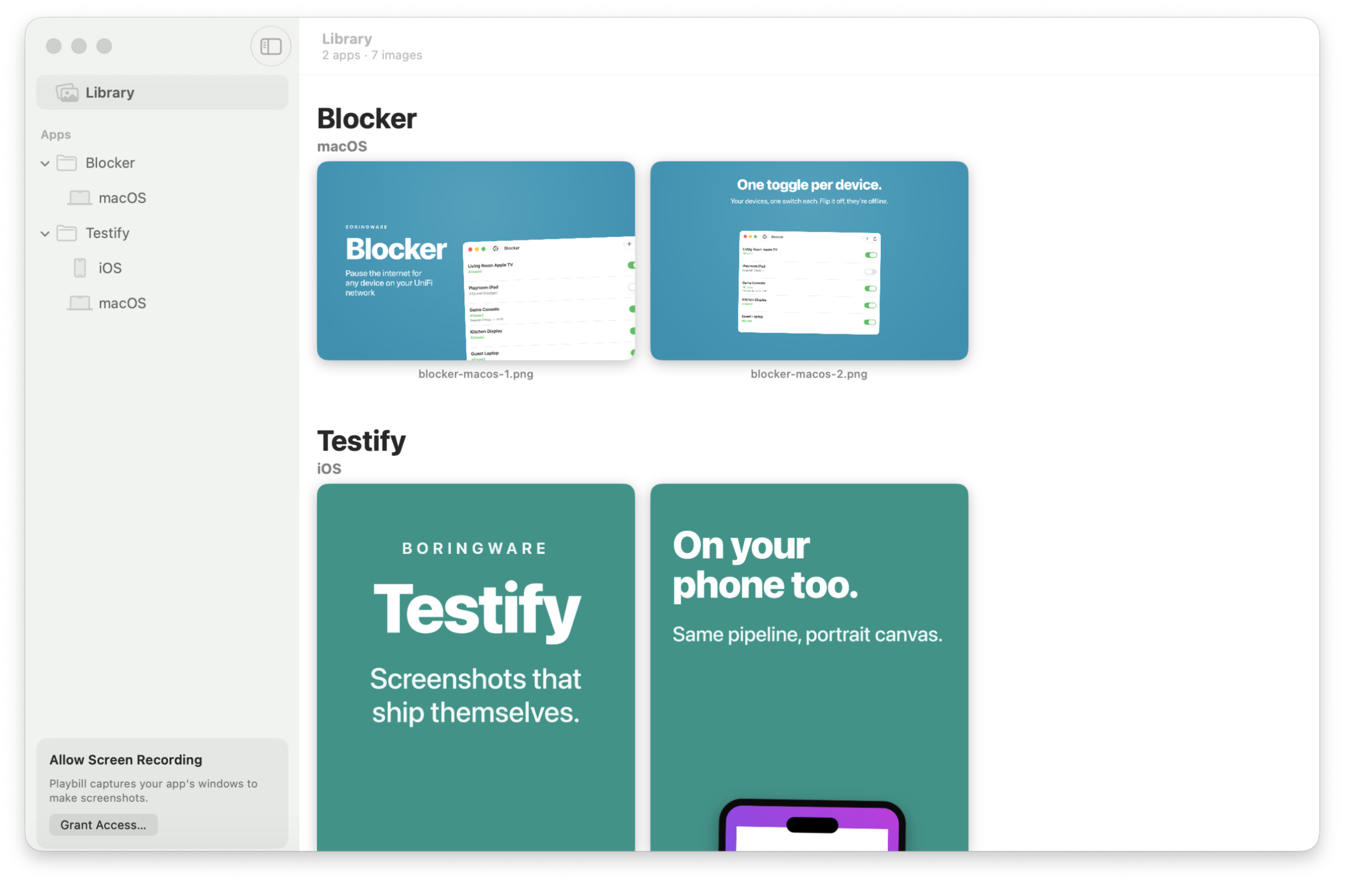

Playbill turns your app's built-in demo mode into polished, on-brand App Store screenshots, and keeps every shot you've ever taken in a library that syncs across your Macs. Capture your app's windows, compose them onto branded store tiles, and ship the exact pixels App Store Connect expects.
Features
Stage
Demo mode with canned data and a forced appearance.
Capture
Live windows photographed as Retina PNGs.
Compose
Headline, subhead, your window, your colour.
Keep
A library of every shot, synced over iCloud.
Why Playbill?
Screenshots are the miserable last mile of shipping an app: staging believable data, per-device pixel sizes, framing bezels, and re-doing all of it every time your UI changes. Playbill treats screenshots like view test fixtures: your app shows staged data, Playbill photographs it, and re-running the pipeline after a redesign regenerates the whole set identically.
Details
- A Photos-style library of every screenshot, organized by app and platform
- Native window capture: grant Screen Recording to Playbill, not your terminal
- Pixel-exact store tiles: 2880×1800 Mac, iPhone and iPad sizes, device bezels included
- One config file drives the whole set: change the copy, re-render, done
- Command-line pipeline for CI and scripting, app for browsing and sharing
- Your images stay in your iCloud: no accounts, no uploads to us, no analytics
Requirements
- macOS 14.0 or later
- Xcode or the Swift toolchain for the command-line pipeline
Want it the day it ships?
One email, on the day it's on the Mac App Store. No newsletter, no drip, and you can unsubscribe from the link in that email.
Coming Soon on the Mac App Store
Leave your email and we'll tell you when it's ready. One note, nothing else.