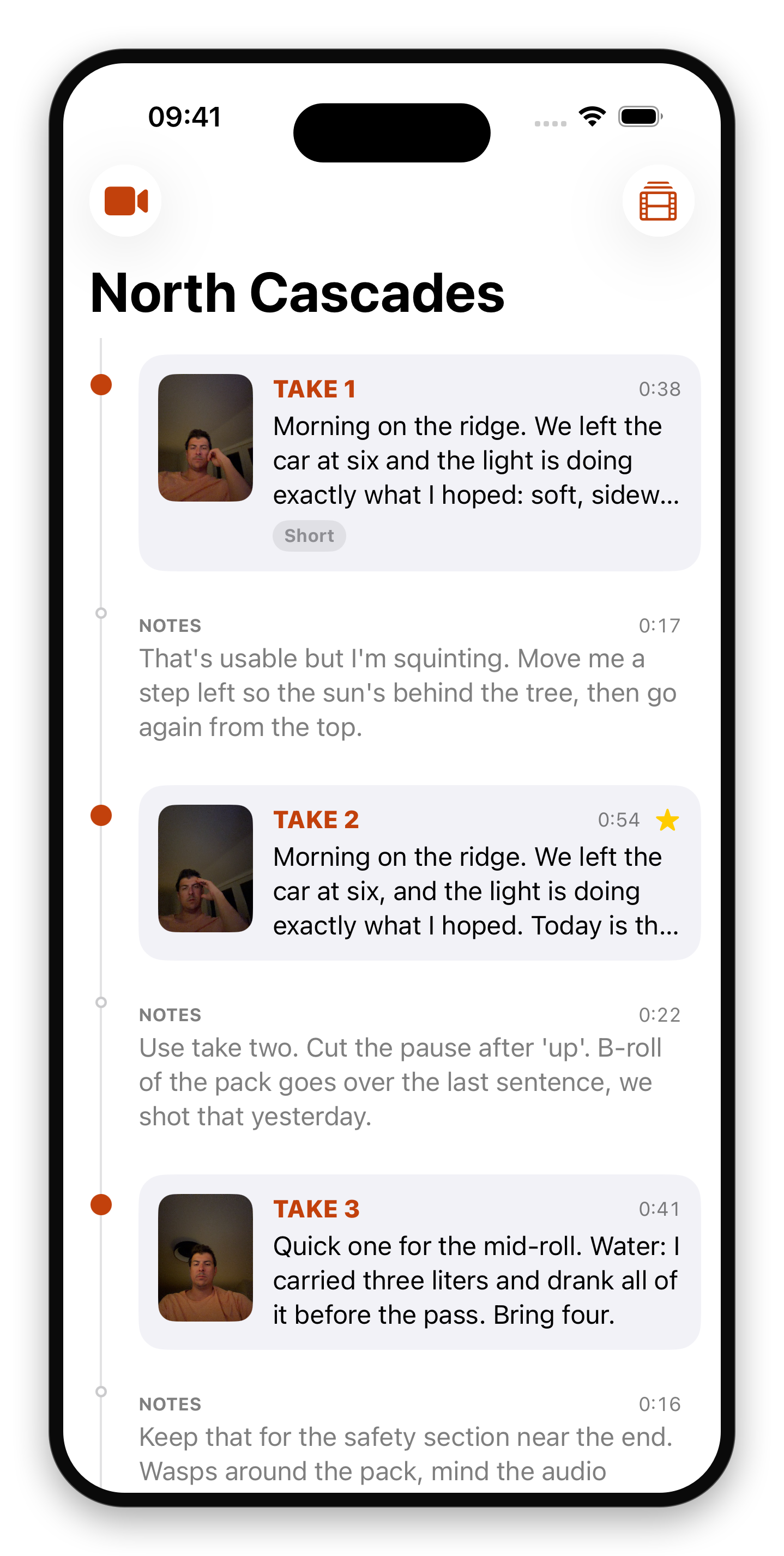
One button. Take or note on iPhone
The camera never stops between them.
Coming Soon on the App Store
Leave your email and we'll tell you when it's ready. One note, nothing else.

Press once and you're on a take. Press again and you're talking to your editor about it. Both are recorded, so the thinking-out-loud between takes stops getting lost.
The problem
The most useful thing you say all day is the thing you say between takes: "that one was too slow, use the second half", "I flubbed the name, cut before it". Then you press record again and it is gone. Every camera app makes you stop and start, and the gap is where the direction lives.
What Takes does
It never stops recording. The button does not start or stop the camera; it marks what the current stretch of video is: a take, or you talking to your editor. Press it and you are on a take. Press it again and you are leaving a note.
Both are kept. In post the takes come out as clips and each note is attached to the take it is about, so the direction arrives with the footage instead of in a text message three days later.